 VR Organizer
Kindergartens
For the youngest children we recommend the Space Tent: they watch a colourful space film projected onto the dome together, with no headsets.
The travelling planetarium · Meta Quest
We take you and your students to space. A hands-on activity that teaches while it entertains: one tablet, one tap, every headset at once.
In our inflatable space tent, the whole group watches a space film projected onto the dome together. In our VR Space Class, every student enters space in their own headset: learning in Space Class scenes and walking through open space in Spacewalk scenes.
01 · How it works
The Space Tent and the VR Space Class are two separate activities. If you like, we set up both on the same day as separate stations, and groups take turns in the tent and in the VR class.
Activity 1 · no headsets
An inflatable dome planetarium
We inflate the dome at kindergartens, in school yards or halls, at festivals, fairs and shopping centres.
Children sit together inside the dome, without headsets.
The whole group watches a space film projected onto the dome ceiling, while we narrate the show live.
Activity 2 · Meta Quest
A headset for every student
Our VR class has two kinds of scenes: in Space Class scenes students learn in a classroom out in space, and in Spacewalk scenes they walk through open space.
Seated in a classroom or hall, every student wears their own Meta Quest headset; the outside world disappears and they are fully inside space.
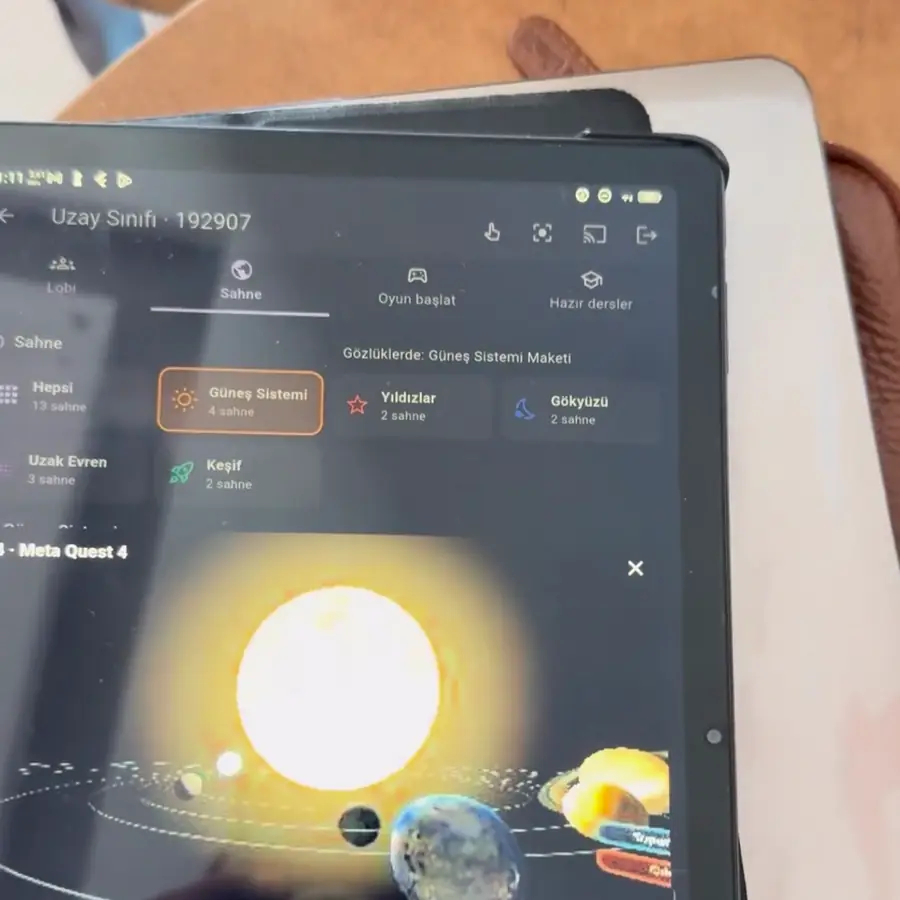
The teacher picks the film on the tablet and starts every headset at once. Films are downloaded in advance, so no internet is needed.
Each headset's view appears live on the tablet; the teacher can ask a poll question and help any single headset when needed.
02 · Who it's for
For the youngest children we recommend the Space Tent: they watch a colourful space film projected onto the dome together, with no headsets.
The Space Tent welcomes the whole school in turns. In the VR Space Class every student joins the lesson in their own headset, and poll results show what to revisit. Both work in schools without internet.
We set up the Space Tent on site and groups take turns inside the dome. If you like, we add a separate VR station next to it, where the show keeps running as headsets change hands.
You can also play your dome films in VR headsets; visitor groups take turns wearing them, and the headsets stay ready all day.
03 · From the field
A science festival in the 2023 earthquake region. Outside, a city still rebuilding. Inside our dome, children wait for their turn; when the show begins, they leave Earth for a few minutes, walk on the Moon in the film projected onto the dome and watch Saturn's rings turn above their heads.
We have been running scenes like this since 2022. Every festival taught us the same thing: the wonder is there, but the tools are not. Headsets had to be started one by one, films drifted out of sync, and the venues rarely had reliable internet.
So we built the tool we needed ourselves: an inflatable space tent that children enjoy without headsets, and a Meta Quest space class that one operator runs with one tap, online or fully offline. We registered the company in 2026 to scale what already works in the field.
Because the view inside a headset cannot be filmed with a camera, some videos recreate in-headset scenes with the help of AI. Videos labelled "Real footage" come from our events.
20 years in Türkiye's book publishing and distribution sector — from account representative to regional manager for 24 provinces (last 8 years) at a national publication distributor. Joined full-time after leaving his corporate role.
Agricultural engineer (M.Sc.); she builds the science behind our content and has run field operations across Türkiye for 4 years.
An IT and software professional who advises us on the product's technical roadmap.
An experienced classroom teacher and a school principal light our way at every step with their pedagogical insight and deep knowledge of the curriculum.
04 · Product
In the VR Space Class, every child is in their own headset, yet all of them look at the same Saturn at the same moment, while the teacher stays in control from a single tablet. VR Organizer is the headset app and admin panel that turn a box of headsets into one shared lesson. In the Space Tent, the whole group watches the film on the dome, with no headsets at all.
VR · Fleet manager
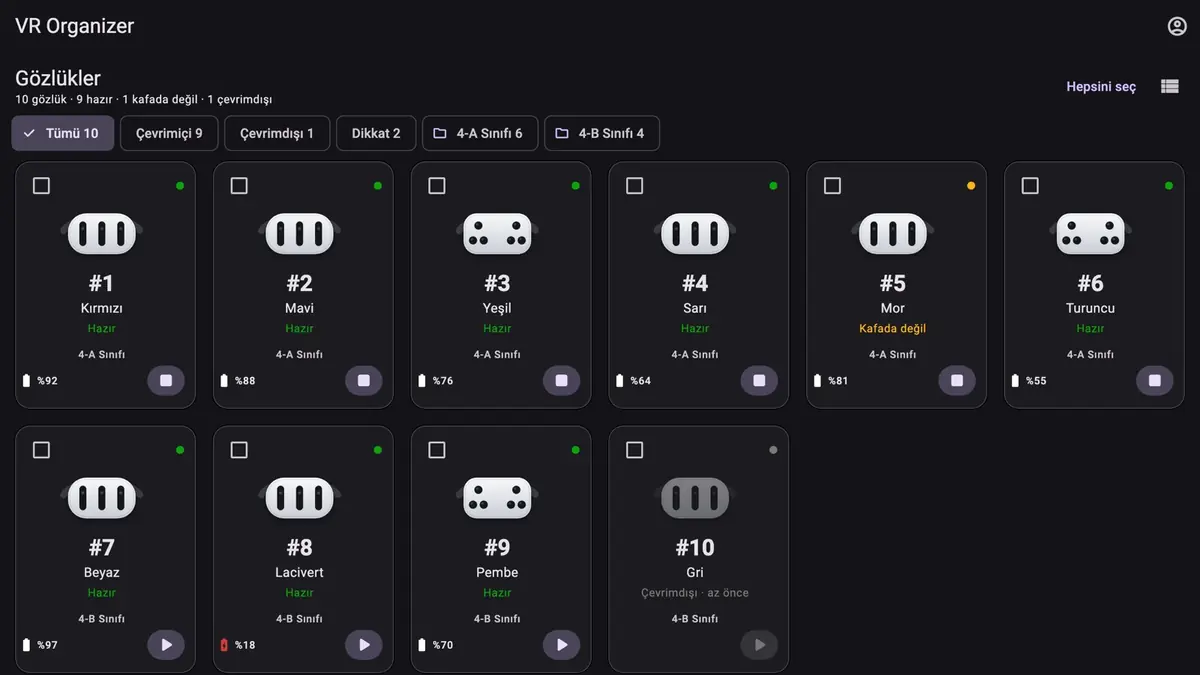
One tap starts, pauses or changes the film on every headset together. Each card shows battery, connection, sync and whether the headset is being worn, and every headset keeps its own fixed number.
Space Tent · dome films
We bring our inflatable space tent to you and set it up on site. Children sit inside the dome without headsets and watch a space film projected onto the ceiling together, with live narration. The tent works at kindergartens, in school yards and halls, and at festivals, fairs and shopping centres.
VR · mixed-reality lesson In pilot
Students stay in their real classroom, see each other and share the same space lesson in mixed reality, led by their teacher and closed with a short quiz. Now in pilot and coming to classrooms.
VR · Local Hub
Where there is internet, the VR Space Class works through the cloud panel; where there isn't, the Local Hub takes over: headsets and tablet join the same local network and films are loaded in advance. A weak school connection never stops the show.
VR · 360° demo
In the VR Space Class, 360° content surrounds the student in every direction. Drag the image to look around; in the headset, students simply turn their head.
Panorama: ESO/S. Brunier (CC BY 4.0)
Licensing · safety
Your organisation gets its own account. The licence is based on the number of headsets and the term.
Designed for settings where children and visitors use the headsets.
05 · Captain Kayra
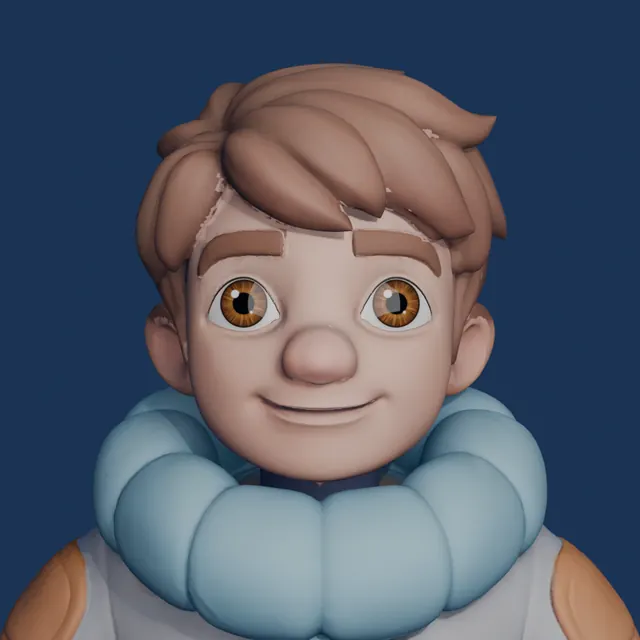
Captain Kayra is our space workshop's own character. In short science videos he explains the Moon, the planets and the secrets of the sky; at our workshops and shows, children meet the same character.
06 · Vision
Our goal: every child in Türkiye, and then in Europe and MENA, even in schools without internet. Not as a once-a-year field trip, but as part of an ordinary school week.
Frequently asked questions
No. The Space Tent and the VR Space Class are two separate activities. In the tent, children watch the film projected onto the dome ceiling together, without headsets. In the VR Space Class, every student wears their own Meta Quest headset and the outside world disappears completely. We can set up both on the same day as separate stations.
As many as your licence covers. Films download before the show, so only small sync messages travel during playback; network load does not grow noticeably with more headsets.
No. Where there is internet it runs through the cloud panel; in schools and venues without internet, the Local Hub manages the headsets and tablet over the same local network. In both cases films are loaded onto the headsets in advance.
We send you a Meta invite link. Open it in the Meta Horizon app and the app installs on your headsets and updates itself. No developer mode or cables required.
Yes. Your dome, 360°, 180° and flat films are added to your organisation's library and can only be downloaded by your headsets.
No. Viewers never give a name, e-mail or account, and votes are anonymous. See our privacy policy for details.
No. You run the show from the tablet; viewers only watch. Choices such as polls can be made by gaze.
Yes. Split headsets into groups, send each group its own film and start or stop each group separately.
07 · Partner with us
Whether you run a school, a planetarium, a museum or an event, or you want to help us take this further, we would love to talk. Tell us where you want to bring space, and we will plan the Space Tent, the VR Space Class or both together with you.
Hello, I'd like to learn more about VR Organizer.
Organisation: …
City / country: …
Number of children / age group: …
What we have in mind: …